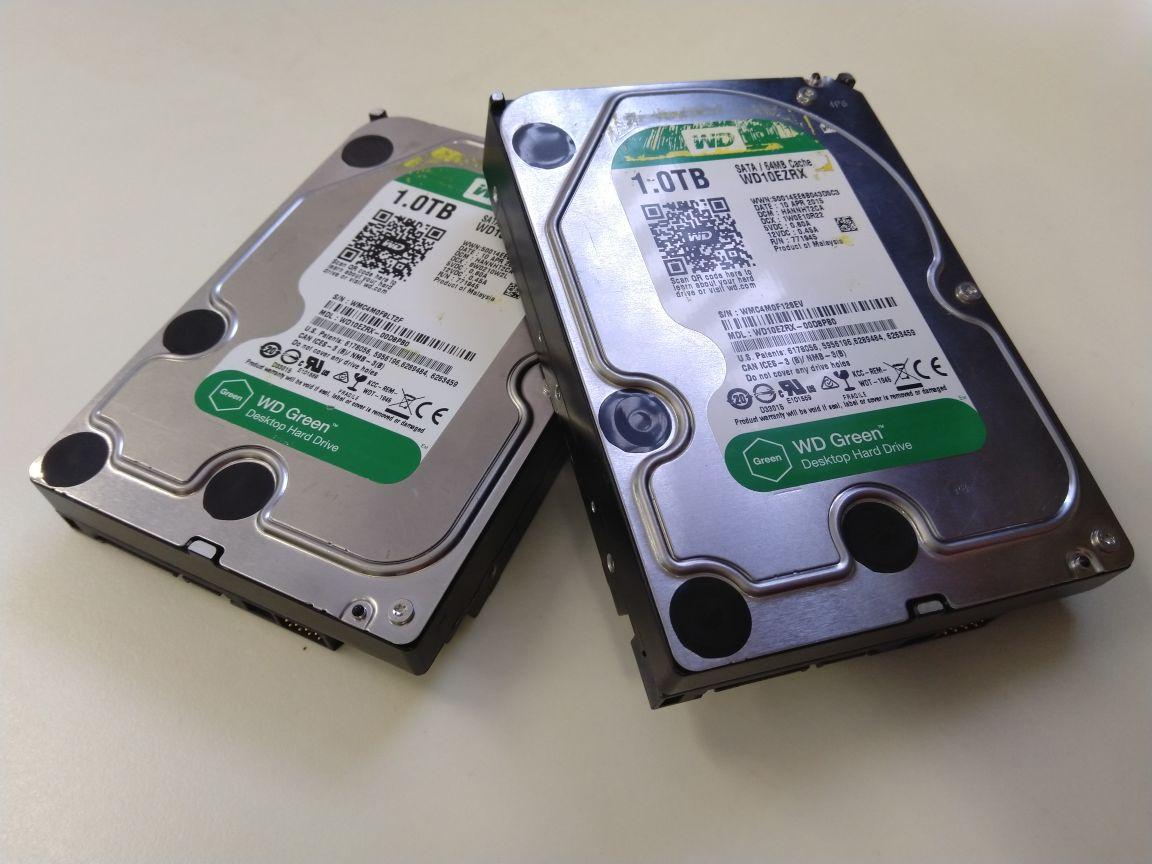
Clicking Hard Drive Data Recovery
A clicking hard drive is a warning sign. Switch the drive off and leave it off.
The emergency line (07511 051360) is answered 24/7.
- Free DiagnosticsNo-obligation quote
- No recovery, no feeFor most jobs
- 7–10 Working DaysEmergency 12–72 hours
What to do when a hard drive is clicking
Power the drive down and leave it off. A click can mean the heads, the firmware, or the circuit board are in trouble, and keeping the drive running can make that worse. The steps below are what to do before anyone opens the drive.
- Switch it off now and leave it off. Disconnect the power and the data cable, or unplug an external drive. Leave it powered down while you arrange the evaluation.
- Do not run a software scan. Recovery software keeps a failing drive running while it tries to read, and that can spread the fault.
- Do not open the hard disk drive yourself. Opening it is done in a clean room, a filtered-air workspace that keeps dust off the platters and heads while a drive is open.
- If you are sending the drive, pack it so it cannot move in transit. The guide on how to package your hard drive covers that.
The lab is at Security House, Windsor St, Sheffield S4 7WB. You can post the drive or bring it in. If you want to speak to someone before you send it, call the emergency line (07511 051360).
What a clicking hard drive can mean
Clicking is a symptom. It is a sound the drive makes, and it does not by itself name the fault. The evaluation is what identifies the cause. A click can come from any of the causes below.
General hard drive failure causes and prevention are a wider subject than the click itself.
Failed or weak heads, a circuit-board fault, and a motor fault are forms of physical failure. A firmware fault is separate from that hardware damage.
- Failed or weak heads can produce a repeating click as the heads try to read and then reset.
- A firmware fault can produce a click. Firmware is the drive's own control code. It is distinct from a logical failure, where the hardware still works and the problem is in the files or the file system.
- A fault on the circuit board can produce a click.
- Heads stuck to the platter, a condition called stiction, can produce a click, and the drive may then stop spinning.
- A head crash, usually with grinding or scraping, can produce those sounds together with a click. In a head crash the heads make contact with the platter surface.
How R3 finds the cause and recovers the data
Every job starts with a free evaluation and diagnosis. The repair follows from what that evaluation finds.
- When the heads have failed, the repair is an exact-match donor and a head swap in the clean room.
- When the fault is in the firmware, the repair is a firmware repair.
- When the fault is on the circuit board, or the heads are stuck to the platter, the evaluation names that fault and the repair is chosen from it.
Once the drive can be read, R3 makes a sector-by-sector copy that works around bad sectors (see disk imaging), then extracts the files and checks them with a file listing.
What clicking hard drive recovery costs and how long it takes
The evaluation and diagnosis are free. You receive a quote before any chargeable work begins.
No recovery, no fee for most jobs: if we can't recover your data, you don't pay for the recovery work.
Standard work takes 7–10 working days. Emergency work takes 12–72 hours. The evaluation confirms which of those windows applies to the drive.
Questions about a clicking hard drive
These answers cover what a click can mean, what to do with the drive, and how the evaluation, the fee, and the turnaround work. The evaluation is what decides the repair. The sound on its own does not name the fault.
What can make a hard drive start clicking?
What should I do with a clicking hard drive?
Why can't recovery software fix a clicking hard drive?
How long does clicking hard drive recovery take?
What if the clicking hard drive was dropped?
Do I pay if the data can't be recovered?
Related pages
- External Hard Drive Data RecoveryAn external drive can click for the same reasons as an internal one: failed or weak heads, a firmware fault, a circuit-board fault, stiction, or a head crash. The drive inside the enclosure is diagnosed before a repair is chosen.
- NAS Data RecoveryA click from a drive inside a NAS can come from failed or weak heads, a firmware fault, a circuit-board fault, stiction, or a head crash on a member of the array. Keeping the NAS running can keep that drive spinning. R3 diagnoses the drive, then recovers the array, including a redundant array of independent disks (RAID 1, RAID 5, or a proprietary layout).
How customers describe clicking hard drive recovery
Selected customer perspectives relevant to clicking drives, head failures, donor parts, and recovery after serious mechanical faults.
- Rated 5 out of 5Verified
WD 320GB 12-year-old, clicking, head swap, "knew his craft"
“After talking to Andrew who clearly knew his craft did I have no problems sending a broken HDD for recovery, and not only did they recover everything on it, they did it in a speedy manner and with amazing simple service, I felt that from start to finish did I have nothing to worry about and just had to wait for them to do their magic. Would use them again and recommend them to everyone who ever needs recovery done.”
MortenWD 320GB 12-year-old, clicking, head swap, "knew his craft"Customer review from Reviews.io
- Rated 5 out of 5Verified
Canada, WD 500GB clicking, full case notes, 97% recovery
“Professional, capable and prompt service. Very friendly and informative customer support - not your usual support team but people who know the technical side of the business. I wouldn't hesitate to recommend to others.”
TimSquamish, CanadaCanada, WD 500GB clicking, full case notes, 97% recoveryCustomer review from Reviews.io - Rated 5 out of 5Verified
Hitachi external HDD clicking (business organisation)
“Our organisation had a mechanical failure on one of our external hard drives. We were pleasantly surprised with the knowledge about the recovery process. Our organisation decided to use this company to have our data recovered. R3 even sent out a private hire organisation to collect the hard drive.”
Fraz MohammadHitachi external HDD clicking (business organisation)Customer review from Reviews.io
Ready to recover your clicking hard drive?
Ask for a free evaluation and a quote before any chargeable work. The emergency line (07511 051360) is answered 24/7. The main line is 0800 999 3282.
Looking for general hard drive recovery? View our Hard Drive Data Recovery service