RAID 0 Failed? Get Your Data Back - Safely and Verified
We rebuild striped arrays from cloned drives and provide a full file list before payment with emergency service available 24/7. Trusted by businesses across the UK.
- Free DiagnosticsNo-obligation quote
- No Data, No FeeWhere applicable
- 7–10 Working DaysEmergency from 12 hours
5 Highlights on RAID 0 Data Recovery
RAID 0 data recovery is one of the most demanding disciplines in the field. Without parity or mirroring, every drive in the array must be recovered to reconstruct your data.
Zero fault tolerance means total data loss
RAID 0 splits data across two or more disks using striping with no parity or mirroring. When a single disk fails, the entire array becomes inaccessible. R3 Data Recovery specialises in reconstructing striped arrays where every block of data sits fragmented across multiple drives.
Proprietary imaging tools recover failing drives safely
Our engineers create sector level clones of each disk in the RAID 0 array before any rebuild attempt begins. This protects the original media from further damage during the recovery process.
We recover data from all RAID 0 configurations
Whether your striped array runs two drives or sixteen, across hardware controllers or software based setups in Windows, Linux, or VMware, our team can extract your files.
Emergency RAID 0 recovery is available round the clock
R3 Data Recovery offers a 24 hour emergency service for businesses facing critical data loss from a failed striped array. We start work the moment your drives arrive at our lab.
Free evaluation with no obligation
Every RAID 0 case begins with a free consultation and diagnosis. You'll receive a fixed price quote before we proceed, so there are no surprises.
Talk to a RAID 0 recovery engineer
If your RAID 0 array has failed or become inaccessible, our engineers are available to review your situation and advise on next steps.
Why Choose Our RAID 0 Data Recovery
RAID 0 data recovery is one of the most complex disciplines in the field. Striped arrays distribute data across every disk without redundancy, so a single drive failure can scatter your files into thousands of unreadable fragments. R3 Data Recovery has built a reputation as one of the UK's most trusted specialists for exactly this type of work.
Our engineers hold deep knowledge of RAID controller logic, stripe sizes, block offsets, and disk ordering. They don't rely on automated software alone. Each RAID 0 case receives manual analysis to map the original array parameters, even when the controller metadata is corrupted or missing entirely.
R3 Data Recovery operates from a professional ISO Class 3 cleanroom lab. This matters because RAID 0 arrays often involve physically damaged hard drives that need platter level intervention before any data can be imaged. We handle mechanical failures, head crashes, motor seizures, and PCB faults in house.
Our success rate on RAID 0 recovery cases sits among the highest in the United Kingdom. We back that confidence with a clear policy: no data, no fee, where applicable. Clients receive a detailed file list of recovered data before paying, so you can verify we've retrieved what you need.
From free collection across the UK to secure, encrypted return of your recovered files, every step of our RAID 0 data recovery service is designed around confidentiality and professionalism.
Signs You Need RAID 0 Data Recovery
RAID 0 failure is sudden. Striped arrays don't degrade gracefully the way RAID 5 or RAID 1 configurations do. Here are five scenarios where you need professional RAID 0 data recovery immediately.
One drive in the array has failed mechanically
You hear clicking, grinding, or the drive doesn't spin up at all. Because RAID 0 offers no redundancy, this single disk failure renders the entire array inaccessible. The remaining drives hold only fragments of each file. Do not attempt a rebuild. Power off the system and contact R3 Data Recovery.
Your RAID controller reports the array as offline or degraded
A failed RAID controller, firmware corruption, or an accidental configuration change can make a perfectly healthy set of disks appear broken. Our engineers can read the raw drives, reconstruct the stripe map, and recover your data without the original controller.
The operating system won't recognise the volume
You see the disks in BIOS but Windows, Linux, or your NAS interface shows no accessible partition. File system corruption on a RAID 0 array often results from power failure, improper shutdown, or malware. R3 Data Recovery works with NTFS, XFS, EXT4, and other file systems to extract data at the logical level.
You've lost data after a failed RAID rebuild or migration
Attempting to rebuild a RAID 0 array with incorrect parameters, or migrating to a new controller without proper backup, can overwrite the stripe metadata. This is one of the most common causes of permanent data destruction we see. Bring the drives to us before making any further changes.
Multiple drives have failed simultaneously after a power surge
RAID 0 arrays in servers and NAS devices are vulnerable to electrical damage that affects all disks at once. Water damage, lightning strikes, and unstable power supplies can destroy controller boards across every drive. Our cleanroom team can swap components and image each disk individually to recover your data.
Our RAID 0 Data Recovery Process
RAID 0 data recovery is a structured, methodical operation. R3 Data Recovery follows a proven sequence that protects your original media and gives you the best chance of a complete recovery.
- 1
Free consultation and collection
Contact us by phone, email, or online form. We'll discuss your RAID 0 failure, provide initial guidance, and arrange free collection of your drives from anywhere in the UK. Pack each disk separately to prevent further physical damage during transit.
- 2
Evaluation and diagnosis
Our engineers inspect every drive in the array. We assess mechanical condition, check firmware integrity, and identify the RAID 0 configuration parameters including stripe size, disk order, and start offset. You'll receive a detailed quote within 24 hours of the drives arriving at our lab.
- 3
Drive imaging in our cleanroom
Each disk is cloned at the sector level using specialist hardware. If a drive has physical damage, our team performs repairs in a controlled cleanroom environment first. We never work directly on original media.
- 4
Array reconstruction and data extraction
Using the cloned images, our engineers rebuild the virtual RAID 0 array. They map the stripe sequence, reassemble fragmented data blocks, and extract your files. The team verifies file integrity across all recovered data.
- 5
Verification and secure return
You receive a complete file list to review before approving the recovery. Once confirmed, we transfer your recovered data to encrypted storage media and arrange secure delivery or collection. Original drives are returned or securely destroyed based on your preference.
Brands We Work With
RAID 0 data recovery requires familiarity with a wide range of hardware manufacturers. R3 Data Recovery has hands on experience with all major brands of drives, controllers, servers, and NAS devices used in striped array configurations.
- Western DigitalWD Red, Ultrastar, and desktop drives
- SeagateIronWolf, Exos, and Barracuda series
- ToshibaN300, X300, and enterprise drives
- SamsungEVO, PRO, and enterprise SSDs
- HitachiUltrastar and Deskstar series
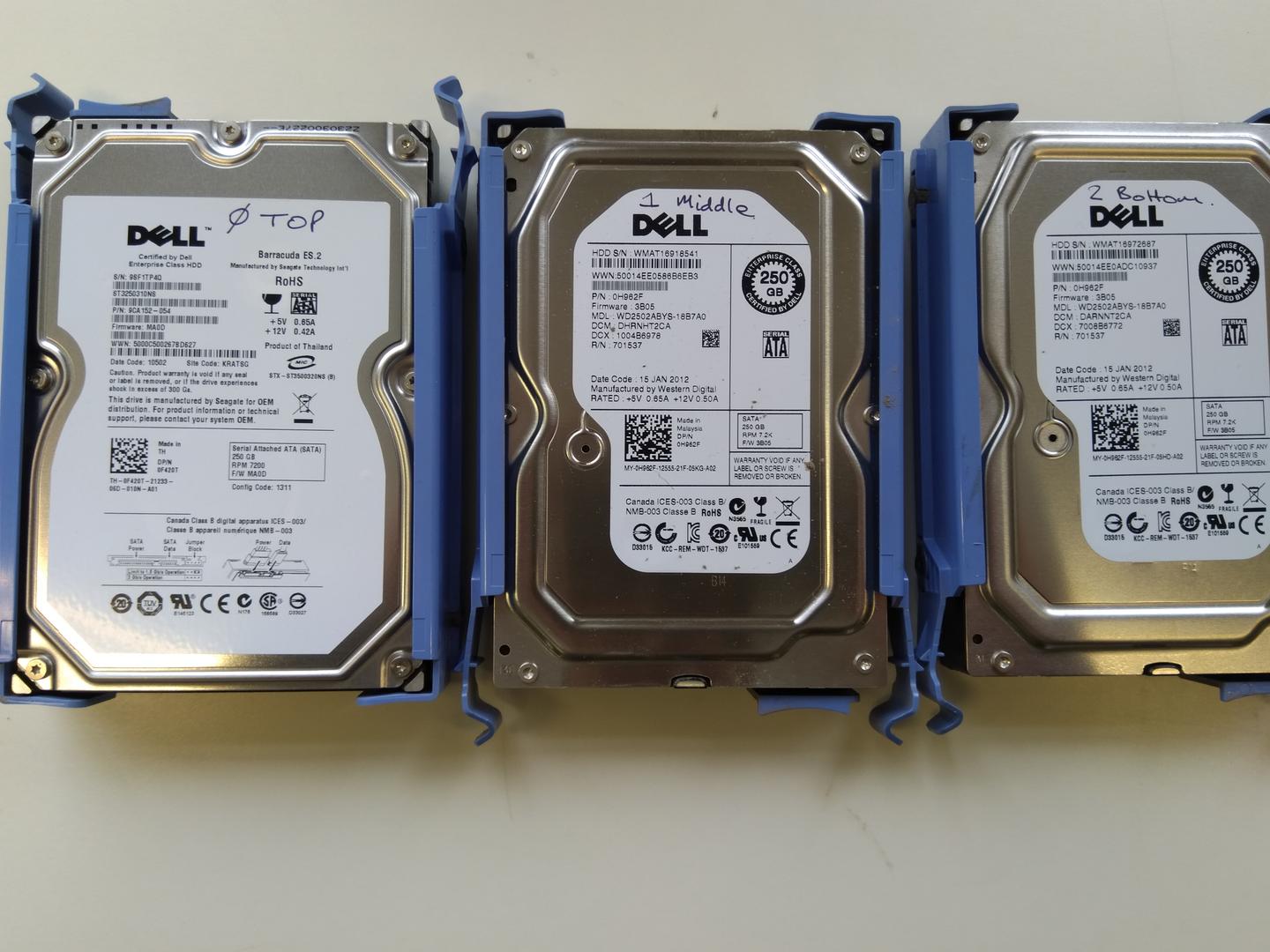
- DellPowerEdge servers and MD storage arrays
- IBMSystem x servers and Storwize arrays
- NetAppFAS and AFF enterprise storage systems
- BuffaloTeraStation and LinkStation NAS devices
- EMCVNX, Unity, and Clariion SAN platforms
Each manufacturer uses different firmware, sector formats, and proprietary technologies. Our team maintains current knowledge of these systems to ensure accurate imaging and reconstruction.
A word on safety: never attempt to open a hard drive outside a suitable cleanroom environment. Do not run consumer recovery software on a physically damaged RAID 0 array. These actions can cause permanent data destruction. Let qualified engineers handle your drives from the start.
How customers describe RAID 0 recovery
Selected customer perspectives relevant to striped arrays, power events, zero redundancy failures, and specialist RAID reconstruction.
- Rated 5 out of 5Verified
RAID 0 dual head crash from power outage, six engineers
“I contacted R3 at the suggestion of a computer expert after apparently losing all the contents of my PC - mostly invaluable work. It turned out that what I had assumed to be a back-up hard drive had in fact been installed as one of a pair of hard drives in RAID 0 configuration, causing the entire system to fail. I paid for the express service so it wasn't cheap but with so much at stake I was happy to pay what it took. They did a fantastic job - kept me closely informed and went that extra mile to retrieve everything.”
Lindsay CRAID 0 dual head crash from power outage, six engineersCustomer review from Reviews.io
- Rated 5 out of 5Verified
Dell RAID 0, 2x WD 500GB, business, power fluctuations
“Great / Swift service, recovered all our important data. Would use again and would recommend.”
Uprise LimitedDell RAID 0, 2x WD 500GB, business, power fluctuationsCustomer review from Reviews.io - Rated 4 out of 5Verified
QNAP NAS RAID 0 6×8TB, "really pricey but very effective"
“Really pricey - but very effective. Impressive customer service from beginning to end. Would use again (but hope I don’t have to).”
IainShrewsbury, United KingdomQNAP NAS RAID 0 6×8TB, "really pricey but very effective"Customer review from Reviews.io
RAID 0 Data Recovery Questions
Common questions about recovering data from failed RAID 0 striped arrays.
What is RAID 0 data recovery?
When should I seek RAID 0 data recovery?
Why can't I recover a RAID 0 array myself?
How long does RAID 0 data recovery take?
Can you recover data if one RAID 0 drive is completely destroyed?
Does R3 Data Recovery offer a no data, no fee guarantee?
Other RAID Recovery Services
- RAID 1 Data RecoveryRAID 0 stripes data for raw speed with no redundancy — RAID 1 takes the opposite approach, mirroring every block across paired drives. Two-disk NAS devices commonly default to RAID 1, while larger enclosures from the same vendor stripe with RAID 0 for performance volumes.
- RAID 5 Data RecoveryRAID 5 adds distributed parity to the same block-level striping that RAID 0 uses, giving larger arrays single-disk fault tolerance. When RAID 0 scratch volumes and RAID 5 production storage share a controller, a single hardware fault can take both arrays offline.
- RAID 10 Data RecoveryRAID 10 nests RAID 0 stripes across mirrored pairs, combining striping performance with mirror redundancy. When a RAID 10 degrades beyond its mirror tolerance, recovery often reduces to reconstructing the underlying RAID 0 stripe geometry.
Ready to Recover Your RAID 0 Array?
Contact our RAID 0 recovery specialists for a free assessment and no-obligation quote. We're available 24/7 to help.
Looking for general RAID recovery? View our RAID Data Recovery service