Synology Data Recovery
Expert Synology NAS data recovery services across the UK — retrieve your files when it matters most
- Free DiagnosticsNo-obligation quote
- No Data, No FeeWhere applicable
- 7–10 Working DaysEmergency from 12 hours
5 Highlights on Synology Data Recovery
Synology data recovery is a specialist discipline that demands deep knowledge of Btrfs and ext4 file systems, Linux based DSM software, and proprietary RAID management.
Trusted Synology NAS specialists
R3 Data Recovery's qualified engineers recover data from all Synology DiskStation and RackStation models, including single drive and multi bay RAID configurations. Our team handles everything from DS220+ desktop units to RS3621xs+ rackmount servers.
Free evaluation on every Synology device
Send your failed Synology NAS to our lab and receive a no obligation quote within 24 to 48 hours. You pay nothing until we confirm your files are recoverable.
RAID rebuild expertise
Our engineers work with RAID 0, RAID 1, RAID 5, RAID 6, RAID 10, and Synology Hybrid RAID (SHR) arrays. We reconstruct degraded or collapsed arrays at the sector level.
Emergency Synology recovery available
R3 Data Recovery provides priority turnaround for business critical data loss. Our emergency service runs around the clock, seven days a week.
Secure, confidential process
All recovered data stays within our controlled lab environment. We follow strict chain of custody protocols and can arrange NDA agreements for sensitive commercial files.
Talk to a Synology recovery engineer
If your Synology NAS has failed, degraded, or become inaccessible, our engineers are available to review your situation and advise on next steps.
Why Choose Our Synology Data Recovery
Synology data recovery is a specialist discipline that demands deep knowledge of Btrfs and ext4 file systems, Linux based DSM software, and proprietary RAID management. R3 Data Recovery has built that knowledge over years of hands on work with failed Synology NAS devices across the UK.
Our engineers don't guess. They diagnose. Each Synology NAS arrives at our lab and goes through a structured assessment. We identify the root cause — whether that's a failed hard drive, corrupted volume, firmware fault, or damage from a power surge. We then map out a recovery plan specific to your device and RAID configuration.
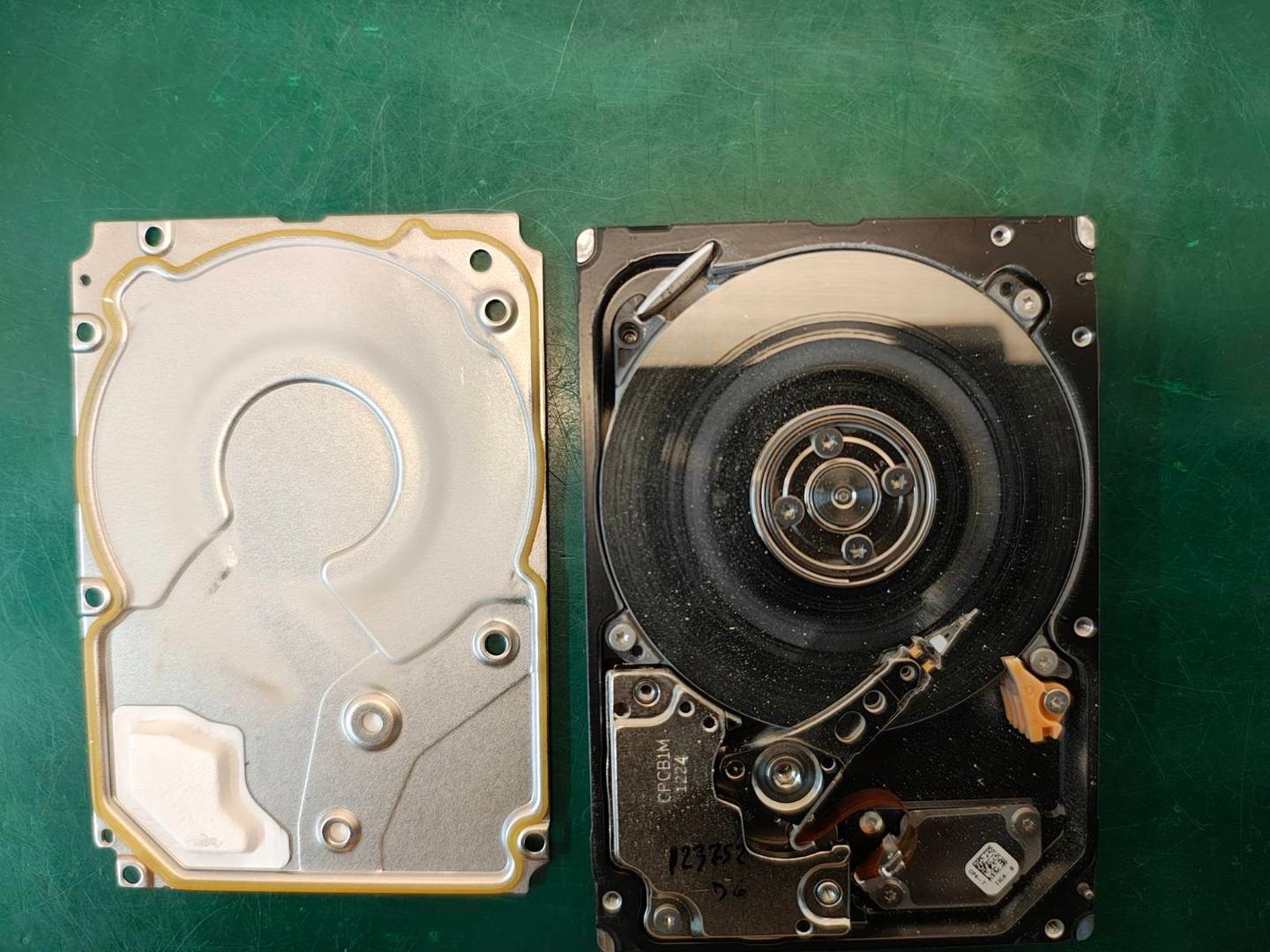
R3 Data Recovery operates from a professional cleanroom lab environment. This matters because opening a hard drive outside controlled conditions risks permanent data loss. Our facilities meet the standards required for platter level work on damaged drives pulled from Synology enclosures.
We maintain a no data, no fee policy on eligible cases. If we can't recover your files, you don't pay for the recovery. That policy removes the financial risk and gives you confidence before we start any work.
Our team also provides clear communication throughout. You'll receive a detailed quote before we proceed, and we keep you updated at each stage. No jargon. No surprises. R3 Data Recovery has earned its reputation as one of the UK's top rated data recovery companies by delivering results and treating clients with straightforward honesty.
Signs You Need Synology Data Recovery
Synology NAS failure rarely happens without warning. Recognising the early signs can mean the difference between a straightforward recovery and permanent data loss. Here are five scenarios where you need professional Synology data recovery.
Multiple drives in a degraded RAID array
Your Synology DSM dashboard shows one or more drives as "crashed" or "degraded." A single drive failure in a RAID 5 array is survivable, but a second failure during rebuild will collapse the entire volume. Do not attempt a rebuild with a replacement drive if the array is already unstable. Send the complete NAS to R3 Data Recovery for safe RAID reconstruction.
Synology NAS won't power on or boot
The unit shows no LED activity, beeps repeatedly, or gets stuck in a boot loop. This can stem from a failed power supply, corrupt DSM installation, or motherboard fault. The drives themselves may hold perfectly intact data, but extracting it requires specialist tools that can read Synology's Linux based partition structure outside the original enclosure.
Accidental deletion or volume reformatting
Someone deleted a shared folder, emptied the recycle bin, or reformatted a storage pool. Synology's own tools won't restore overwritten directory structures. Professional data recovery software and forensic techniques can locate and retrieve file fragments from the raw disk surface.
Ransomware or malware encryption
Your files are locked behind a ransom demand. Synology NAS devices connected to the network are vulnerable to brute force attacks and known exploits. R3 Data Recovery can often restore previous file versions from snapshot data or unencrypted disk regions.
Natural disasters and physical damage
Flood, fire, or impact damage has physically harmed your Synology NAS. Water ingress corrodes drive components. Heat warps platters. Our cleanroom engineers disassemble, clean, and stabilise damaged drives before attempting any read operations. Time matters here — contact R3 Data Recovery immediately.
Our Synology Data Recovery Process
Synology data recovery at R3 Data Recovery follows a structured, repeatable process designed to give your files the best chance of safe retrieval.
- 1
Contact and consultation
Call our team or complete the online form. Describe your Synology NAS model, the number of drives, your RAID type if known, and what happened. We'll provide initial guidance and arrange secure collection or drop off at our lab.
- 2
Free evaluation and diagnosis
Our engineers examine your Synology device and each individual hard drive. We run diagnostic checks on drive health, assess RAID metadata, and inspect the file system for corruption. This evaluation is completely free and carries no obligation.
- 3
Quote and approval
You receive a detailed, fixed price quote based on the complexity of your Synology recovery. We explain what we've found, what we expect to recover, and how long the work will take. We proceed only after you approve.
- 4
Data recovery
Our engineers clone each drive to prevent further degradation. They then rebuild the RAID array virtually, repair file system damage, and extract your data. All work takes place in our controlled lab using professional forensic tools.
- 5
Verification and return
We compile a file listing for you to review. Once you confirm the recovered data meets your expectations, we transfer everything to a secure encrypted storage device and ship it back to you. R3 Data Recovery securely retains recovered data for 10 days after handover, then permanently wipes all copies.
Brands We Work With
Synology data recovery involves working with the drives installed inside your NAS enclosure. R3 Data Recovery's engineers have direct experience recovering data from all major hard drive and SSD brands commonly found in Synology NAS devices.
- SeagateIronWolf and IronWolf Pro NAS drives
- Western DigitalWD Red, WD Red Plus, and WD Red Pro series
- ToshibaN300 NAS hard drives
- Samsung870 EVO and 980 Pro SSDs used in Synology cache roles
- KingstonNVMe and SATA SSDs for Synology SSD cache
- CrucialMX500 and P series drives
- HGSTUltrastar enterprise drives in RackStation models
- SynologyOwn branded HAT5300 and SAT5200 drives
- IntelData centre SSDs found in enterprise Synology setups
- SabrentNVMe drives used as M.2 cache in DiskStation units
Each brand presents its own firmware behaviour and failure patterns. R3 Data Recovery maintains up to date knowledge of manufacturer specific recovery techniques. Your drives are handled with care in our cleanroom, and we never attempt recovery methods that risk further damage to your Synology NAS storage.
Synology Data Recovery Questions
Common questions about recovering data from failed Synology NAS devices, including DiskStation and RackStation models.
What is Synology data recovery?
When should I contact a Synology data recovery specialist?
Why can't I just replace the failed drive and rebuild?
How long does Synology data recovery take?
Can you recover data from an encrypted Synology NAS?
Does R3 Data Recovery offer a free Synology NAS evaluation?
Other NAS Recovery Services
- QNAP Data RecoveryQNAP and Synology dominate the prosumer and SMB NAS market. Both use Linux-based RAID arrays, but QNAP's QTS firmware and EXT4/ZFS configurations require different recovery tooling than Synology's DSM and Btrfs stack.
- Buffalo Data RecoveryBuffalo NAS devices are common in small offices that also run Synology units. Buffalo's proprietary firmware and Windows-oriented file sharing create different failure patterns, but multi-device environments often need both recovered together.
Related Recovery Services
- RAID Data RecoverySynology's SHR and SHR-2 pool types are RAID abstractions managed by DSM. When DSM cannot repair a degraded SHR pool, recovery requires reconstructing the underlying mdadm RAID and LVM layers directly — work that falls to our RAID specialists.
- Ransomware Data RecoverySynology devices exposed via QuickConnect or misconfigured DSM ports have been targeted by brute-force attacks and ransomware strains encrypting shared folders. R3 recovers data from encrypted Btrfs and EXT4 volumes without paying the ransom.
- Server Data RecoverySynology RackStation models run alongside dedicated servers in enterprise racks, often handling backup or file-sharing duties. When a wider infrastructure failure takes both offline, R3 coordinates recovery across NAS and server simultaneously.
Ready to Recover Your Synology NAS?
Contact our Synology recovery specialists for a free assessment and no-obligation quote. We're available 24/7 to help.
Looking for general NAS recovery? View our NAS Data Recovery service